Which attendance solution fits your business in Morocco?
An attendance solution combines a way to record arrivals and departures, working-time rules and information managers can act on. With 7odor, choose mobile attendance or compatible terminals, then compare attendance with schedules and absences before preparing HR exports.
From the first clock-in to your HR export
A working day is more than two timestamps. 7odor connects attendance events, schedules and managers’ decisions so HR can review the resulting data.
A mode of attendance recording adapted to your activity
The 7odor mobile application offers attendance recording with facial recognition. The platform also supports attendance recording terminals, including ZKTeco. The choice depends on the equipment present on your sites, your connectivity and the way your employees work.
Before deployment, compatibility must be confirmed for your device models and configuration. A demonstration allows you to start from your actual uses: access to a workshop, teams spread over several establishments or employees on the move.
Read the times with their context
An arrival time is not enough to explain a day. It must be reconciled with the planned schedule, absences and possible corrections. 7odor brings together attendance records, calendars and HR requests to help your managers read this information together.
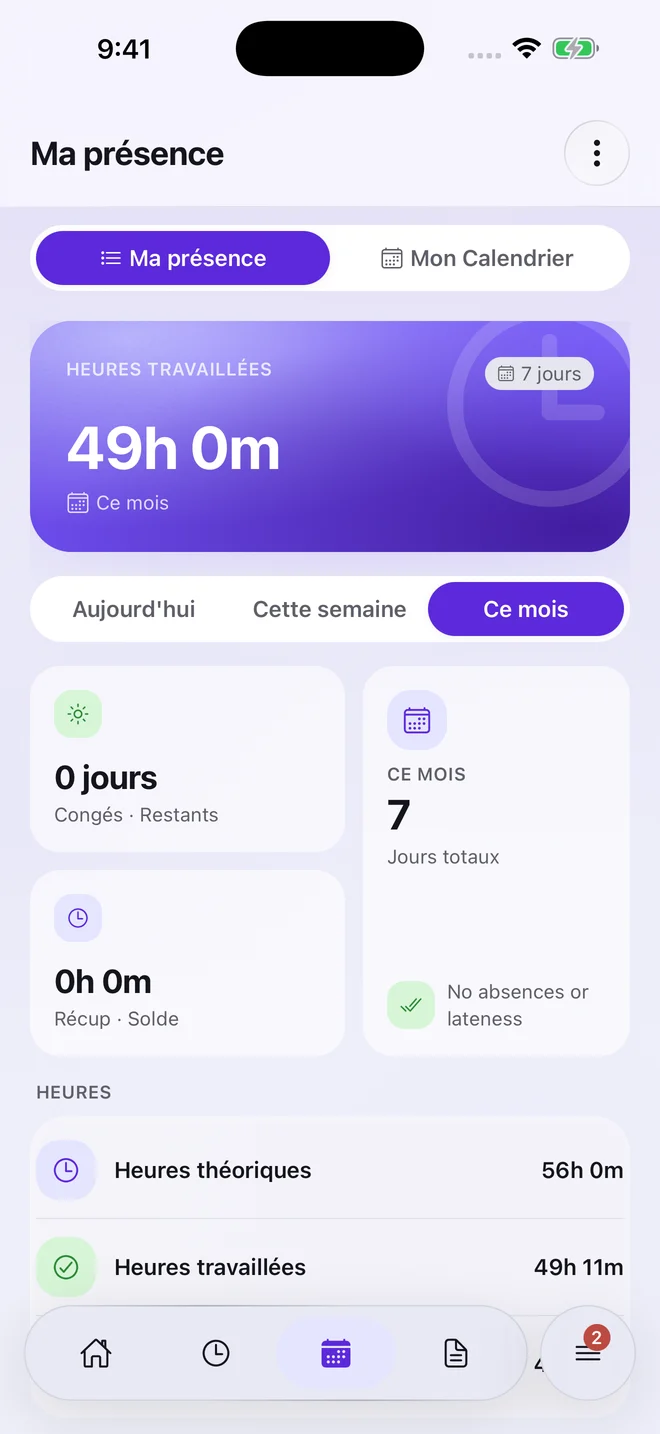
Employees can see their attendance too.
Preview of the app in French. Displayed values illustrate this screen and are not customer results. Employees can view their period and balances in one workflow.
- View the arrivals and departures of an employee.
- Identify delays and incomplete days to review.
- Find correction requests and their processing status.
- Analyze hours over a period with attendance reports.
Prepare data for your payroll process
Excel exports allow you to use attendance data and calculated hours in your payroll preparation. The expected structure, calculation rules and end-of-period controls must be agreed with your team.
The export of presence variables is separate from the preparation of pay slips or social declarations. Present your current process during the demo to determine precisely the role of 7odor and the necessary exchanges with your other tools.
Start with a defined scope
Whether you run a café, a workshop or several locations, the demo should start with your organization. Bring your headcount, sites, schedules and any existing terminal model numbers.
- Define: choose attendance methods, working-time rules and each manager’s permissions.
- Pilot: check a regular day, a missed punch, an absence and an export with a representative team.
- Roll out: train the people involved, expand the scope and review the first period close.
A quote based on your needs
The budget depends on headcount, number of sites, selected modules, hardware and the support required. Specify data imports and expected export formats to define a comparable scope.
During the demo, bring a situation that takes up your time: a missed punch, a schedule change or monthly hours preparation. We can show the relevant workflow and define the next steps.
Your questions
Does the software work for multiple establishments?
Yes. 7odor organizes employees and attendance by site, with a centralized view for monitoring your organization.
Can we keep our presence terminals?
It depends on the model and configuration. 7odor notably integrates ZKTeco terminals; Have your hardware credentials checked before deployment.
What happens if an employee forgets to clock in?
A correction request submits the situation to the configured approval workflow. An approved correction updates the affected punches; period totals should then be reviewed before export.
Does attendance tracking replace my payroll software?
Attendance and time exports remain available under your configuration. A new Moroccan payroll module is being prepared: payslip calculation, review and publication, simulation and declaration files. This is a separate, optional scope; activation and availability must be confirmed before rollout.
Can we start with a small team?
Yes. The demo can focus on one location and the features your team needs. For multiple sites, scoping also covers assignments, manager permissions and consolidated views.
Let’s start with your working day.
Tell us about your organization to discover the functions useful to your teams.
Book a demo